
Set up your Gmail whitelist
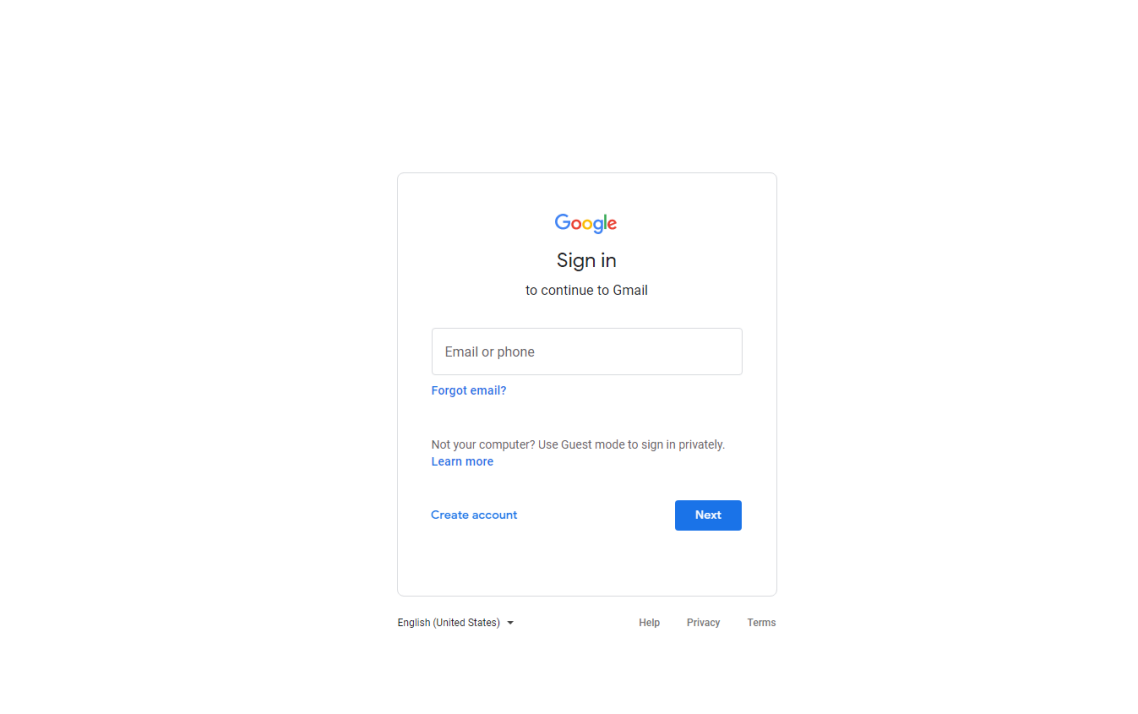
1. It is recommended to use Chrome to visit the website https://www.googel.com/mail on PC, and then sign in to your Gmail account.
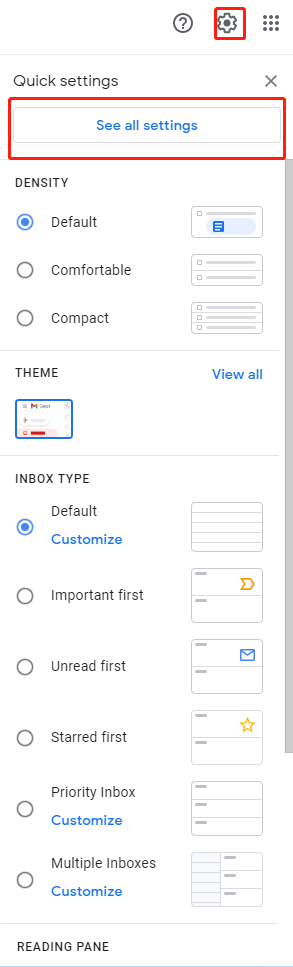
2. After sign-in, click the gear icon at the top right corner and select [Settings].
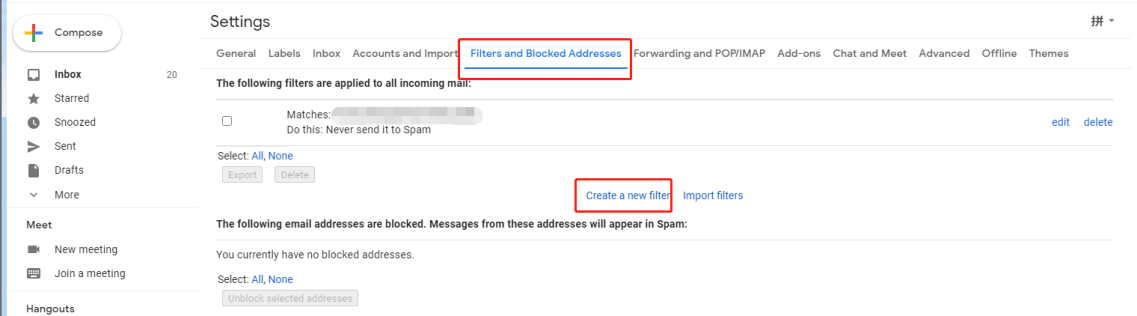
3. On the page of [Settings], select [Filters and Blocked Addresses] and click [Create a new filter].
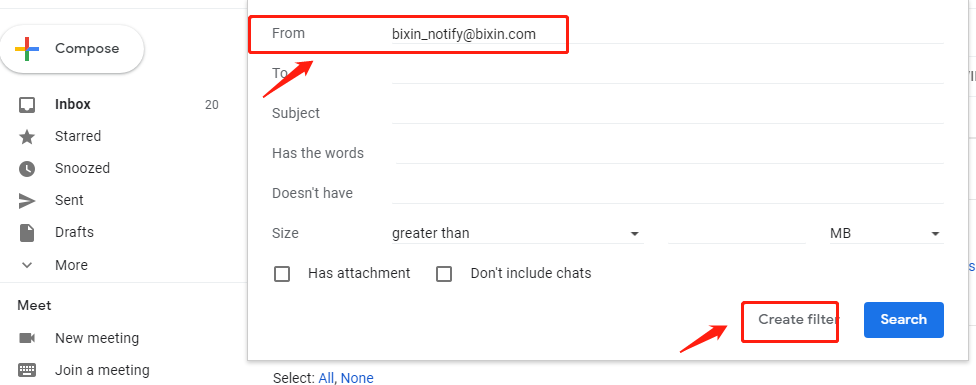
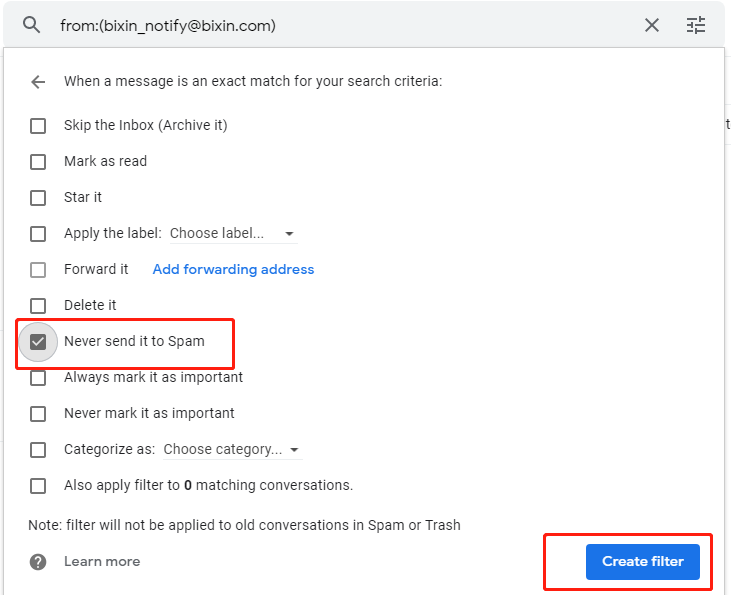
4.Enter the following addresses as required then click [Create filter] to complete adding.
Set up your Outlook whitelist
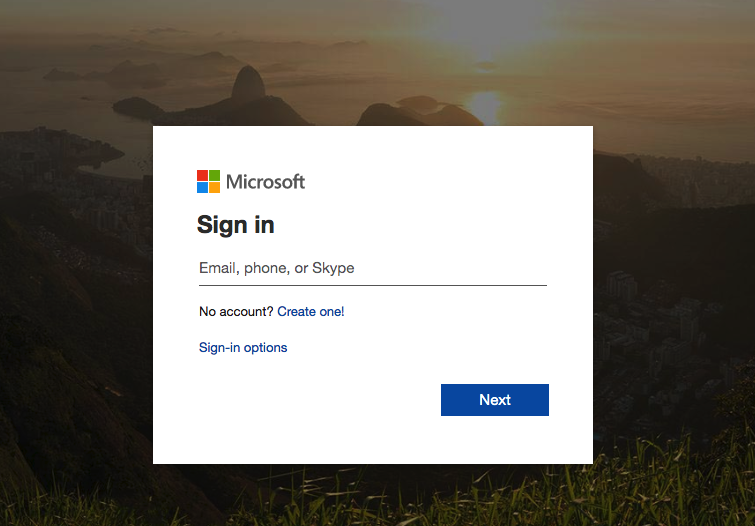
1. It is recommended to use Chrome to visit the website https://outlook.office365.com on PC and then sign in to your Outlook account
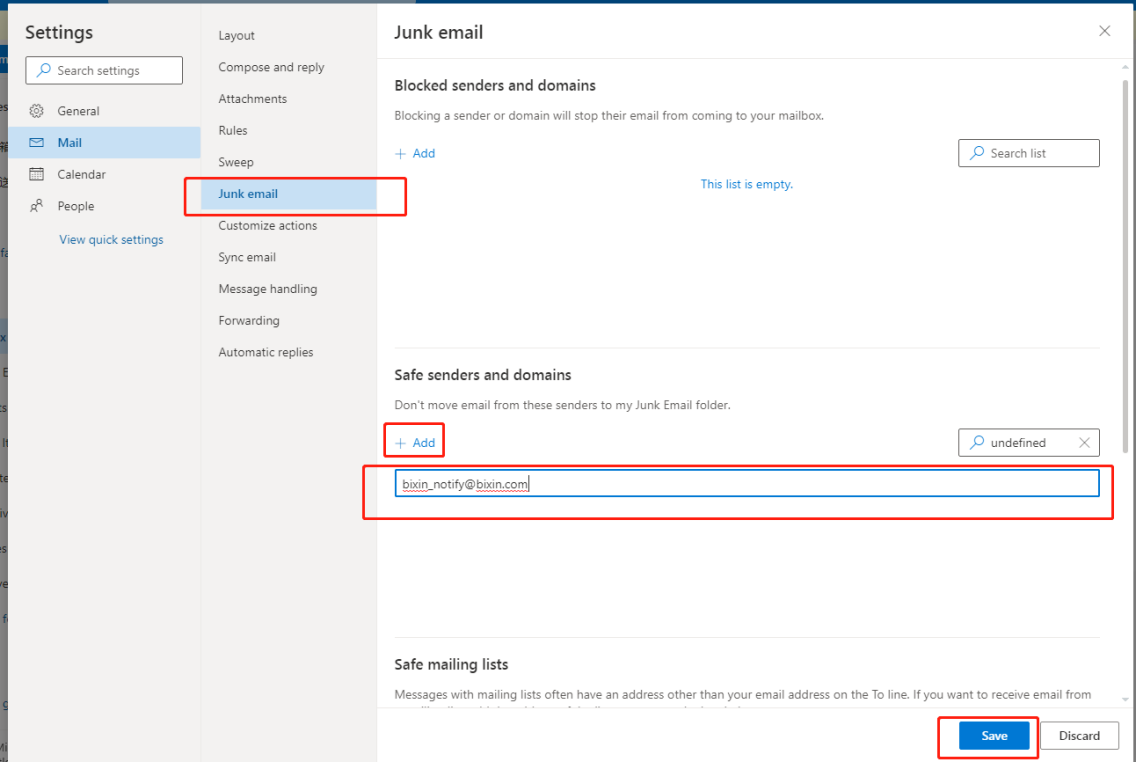
2. On the page of [Settings], go to [Mail] and select [Junk email]. Then click [Add] in the section of [Safe senders and domains]. Add the following email addresses and click [Save] once you finish them all.
Comments
0 comments
Article is closed for comments.